

- Eight Sleep Pod 6 vs. Chilipad 2.0: Which Bed Cooling System Is Worth It? - October 15, 2026
- Eight Sleep Pod 6 Review: My First Impressions After Sleeping on It - September 25, 2026
- Sleep Routines for Hot Sleepers: How to Build a Cooler Night’s Sleep - September 24, 2026
If you’re looking into cooling your bed at night, Eight Sleep and Chilipad are probably two of the names you’ve come across. Both use water to heat and cool your mattress, but they handle temperature control differently. Eight Sleep’s Pod 6 can automatically adjust throughout the night based on your sleep, while Chilipad 2.0 lets you set your own schedule and make adjustments with a bedside remote.
I’ve been sleeping with the Pod 6 since September, and Autopilot has become one of my favorite features. I like that it handles temperature adjustments while I’m sleeping, without me having to wake up and change anything myself.
Both systems have plenty to offer, but the differences go beyond how they control temperature. I’ve looked at everything from comfort and everyday use to maintenance and long-term costs to help you decide which one is the better fit for how you sleep.
Eight Sleep Pod 6 vs. Chilipad 2.0 at a Glance
| Feature | Eight Sleep Pod 6 | Chilipad 2.0 |
| Starting hardware price | $1,999 (Twin) | $1,599 (Half Full) |
| Temperature range | 55°F–110°F | 55°F–115°F |
| Dual-zone control | Yes, with Standard cover | Yes, with two-sleeper system |
| Automatic changes | Adjusts based on sleep-related data | Programmable temperature schedules |
| Sleep tracking | Built-in biometric sensors | None |
| Physical controls | Controls on the cover | Bedside remote and dock controls |
| Membership | Required for first year; optional afterward | None |
| Offline operation | Physical cover controls; connected features require internet access | Manual temperature control via remote or dock without internet |
| Cleaning | Spot-clean cover | Machine-washable outer cover |
| Trial | 30 nights | 30 nights |
| Standard warranty | 2 years | 2 years |
Both systems work with your existing mattress, although you’ll need to choose the correct size and temperature-zone configuration.
How Eight Sleep and Chilipad Work
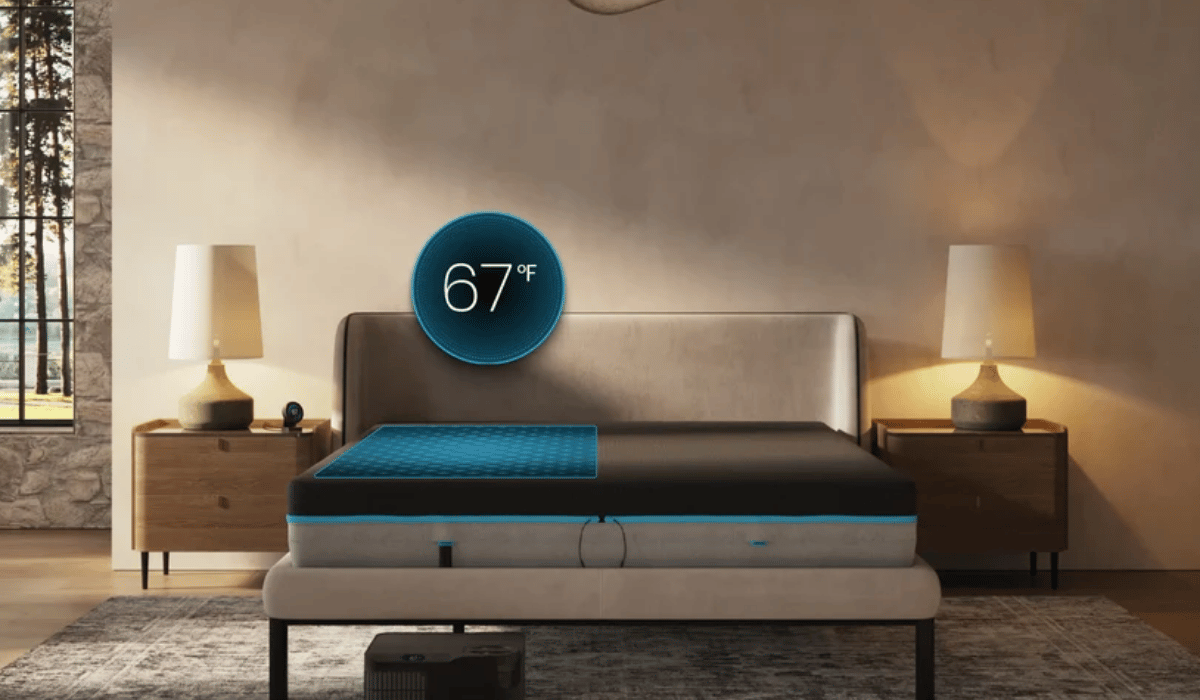
Both systems circulate temperature-controlled water through a mattress cover, heating or cooling the surface beneath your sheets.
The Pod 6 uses a fitted cover connected to a hub that’s 50% smaller than the previous version and can fit beneath many bed frames. A single hub handles both sides of a dual-zone cover, while Solo configurations are available for one sleeper. Both options include integrated sleep tracking.
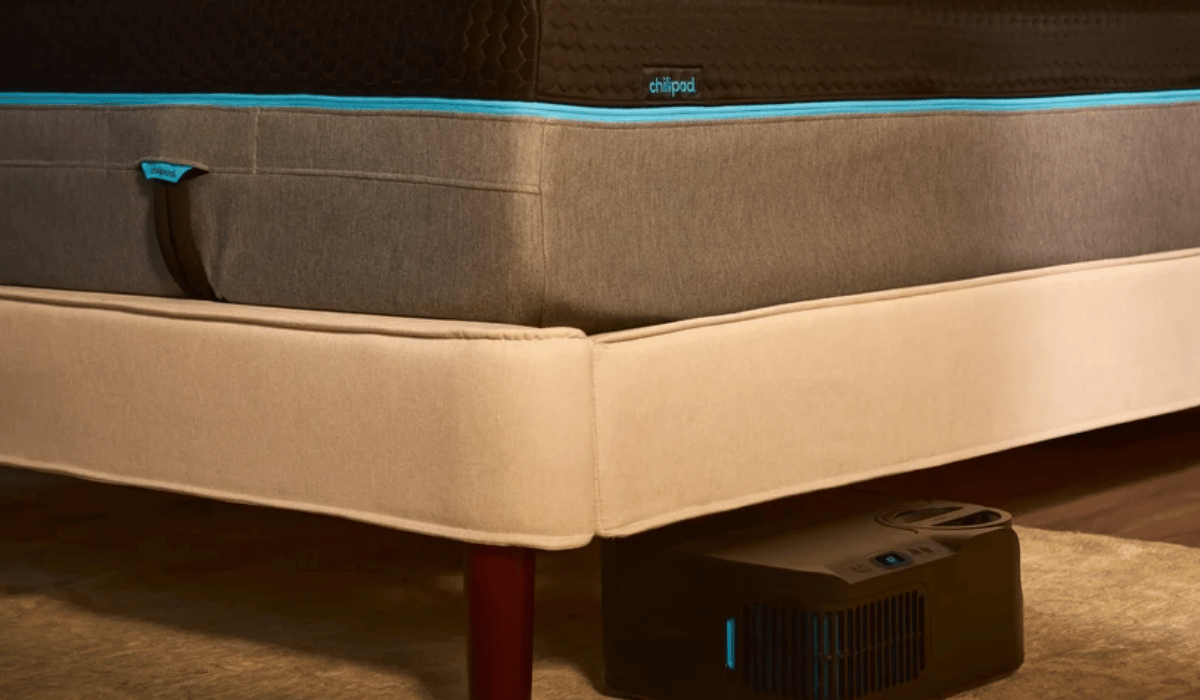
Chilipad 2.0 uses a removable fabric cover with an internal water-circulating Hydrolayer connected to a dock. Unlike Eight Sleep, a dual-zone setup requires two docks, one for each sleeper, so you’ll need additional space around the bed for the equipment.
Temperature Control: Autopilot vs. Scheduled Cooling
Eight Sleep’s Autopilot
With my Pod 6, I like starting the night warm and having the bed cool down after I fall asleep. Autopilot takes care of the adjustments using information from the Pod’s sensors, my sleep history, and other inputs. I’ve had nights with dozens of adjustments, including one with 38, all without having to change the temperature myself.
I love being able to leave the adjustments to Autopilot, but there are times when I want to change the temperature myself. During a hot flash, for example, I’ve used the rapid-cooling button on the side of the mattress cover to cool things down right away instead of waiting for Autopilot to make the next adjustment. It’s nice having that option without needing to reach for my phone.
You can also turn off Autopilot’s automatic temperature responses while retaining a paid membership if you’d rather maintain a temperature you’ve chosen yourself. Eight Sleep also has a smart alarm that can use your sleep stages to choose when to wake you within a 30-minute window around your selected wake-up time. Instead of a traditional alarm sound, it wakes you with gentle vibrations and a prechosen temperature change.
Chilipad’s Programmable Schedules
Chilipad 2.0 takes a more hands-on approach to temperature control. You can create schedules in the app that tell the bed exactly when to warm up or cool down. For example, you could start with a warm bed, schedule a lower temperature a couple of hours after bedtime, and have it warm back up before morning. Once you’ve set your schedule, Chilipad follows it without needing to track your sleep stages or make adjustments based on biometric data.
Its Warm Awake feature gradually raises the bed’s temperature at your chosen wake-up time, so you can wake up to a warmer bed instead of relying entirely on an audible alarm. And with a dual-zone setup, each sleeper can have their own temperature settings and schedule.
Remote Controls, Apps, and Offline Use
Eight Sleep’s Pod 6 has physical controls built into the cover, so you can make temperature adjustments without reaching for your phone during normal operation. Its more advanced features, including Autopilot, sleep reports, and smart alarms, require an active Autopilot membership and an internet connection. After the required first year, you can cancel the membership and continue using the Pod 6 for manual heating and cooling.
Chilipad 2.0 comes with a bedside remote that lets you adjust the temperature without opening an app, and there’s no membership required to access any features. You can also use the controls on the dock itself. Both options work without Wi-Fi, although you’ll need a connection for its app-based scheduling features.
Sleep Tracking and Personalization
The Pod 6 collects sleep-related information through sensors inside its cover, so you don’t need to wear a smartwatch to track your nights. The Eight Sleep app shows how long you slept, your sleep stages, heart rate, breathing rate, heart rate variability, and sleep interruptions. Autopilot uses that information, along with temperature preferences and environmental inputs, to help determine its adjustments.
Chilipad 2.0 doesn’t include comparable integrated biometric tracking. Its app focuses on temperature settings and sleep schedules rather than detailed sleep reports. If you already use an Apple Watch, Oura Ring, or another sleep tracker, you may be happy keeping those measurements separate from your bed cooling system.
Comfort, Noise, and Equipment Placement
One thing I was curious about before trying the Pod 6 was how the water-circulating cover would feel to sleep on. I didn’t want to feel the hoses beneath me or feel like I was sleeping on top of equipment every night. Fortunately, I can’t feel the hoses through the cover at all, and I’ve found it very comfortable. I haven’t experienced any leaks, either, which was another concern I had with a water-based system.
Both brands have made improvements to reduce noise from their equipment, although you may still hear the hub or dock running. How noticeable that is will depend on where you place the equipment and how sensitive you are to background noise.
Since I haven’t tested the Chilipad 2.0 myself, I can’t directly compare how the two systems sound and feel in everyday use.
Space is another consideration, particularly if you’re buying a dual-zone system. Eight Sleep uses one hub to control both sides of the bed, while Chilipad requires two separate docks. If you don’t have much room around your bed, the single hub may be easier to accommodate.
Cleaning, Refills, and Maintenance
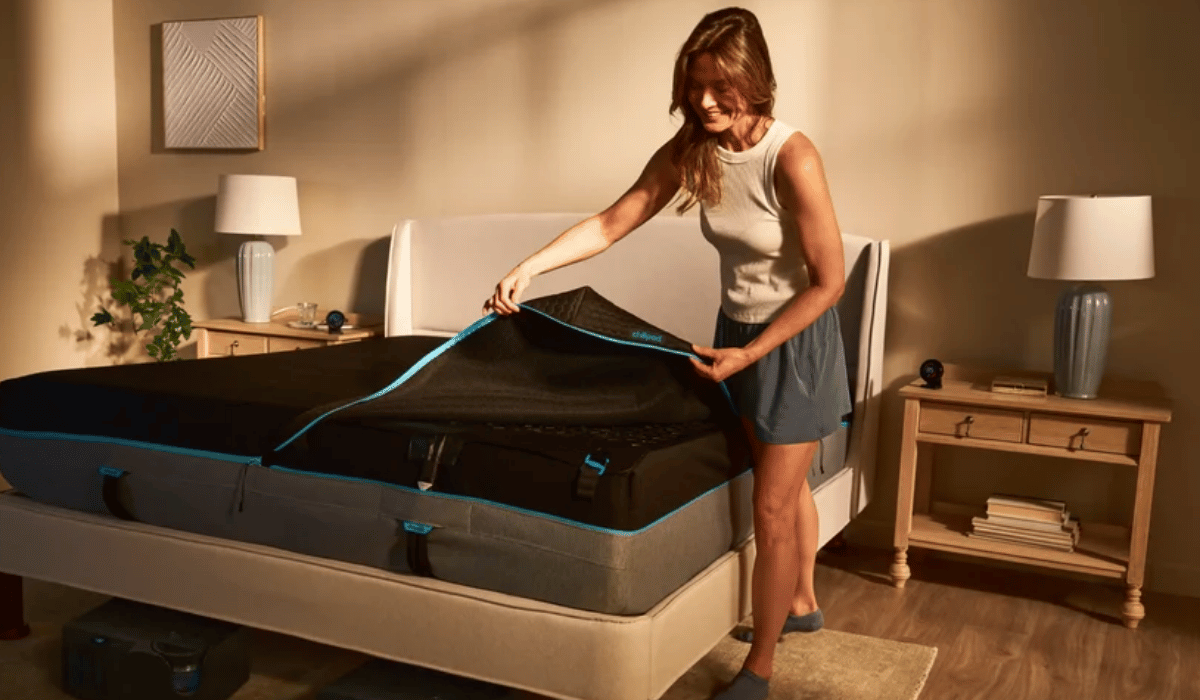
Chilipad 2.0 Maintenance
Chilipad recommends distilled water and instructs users to add a packet of System Cleaner during initial setup. Its maintenance schedule includes adding another packet every month, topping off the reservoir as needed, and cleaning the dock’s air grille and water reservoir approximately every six months or when necessary. There isn’t a fixed number of nights between refills because that depends on room conditions and how you use the system.
Chilipad’s outer cover can be machine-washed in cold water and tumble-dried according to its care instructions, but you’ll need to remove the Hydrolayer first and clean that separately with a damp towel.
Chilipad’s monthly System Cleaner packets are an additional expense, even though the system doesn’t require a subscription, but the cost is marginal: $24 for a three-pack, $45 for a six-pack, or $88 for a 12-pack.
Eight Sleep Pod 6 Maintenance
The Pod 6 uses a newer filling system than previous generations. Instead of removing a reservoir and filling it at the sink, you pour water directly into the hub using the included pitcher. Regular tap water is acceptable for the Pod 6, unlike older Eight Sleep models that required distilled water. The hub uses indicator lights to guide the filling process, and the app walks you through the initial setup.
Eight Sleep says the Pod 6 can complete its initial priming in approximately five minutes. The app also notifies you when the system needs more water. Throughout my first five weeks, I was prompted to add a bit more water only once.
For water-system maintenance, Eight Sleep provides a maintenance solution approximately every six to eight months to customers with an active Autopilot membership (which we’ll explore next). If you cancel, you’ll need to confirm how to obtain the solution separately. The cover isn’t machine-washable, so you’ll need to spot-clean it when necessary.
Eight Sleep vs. Chilipad: Five-Year Cost Comparison
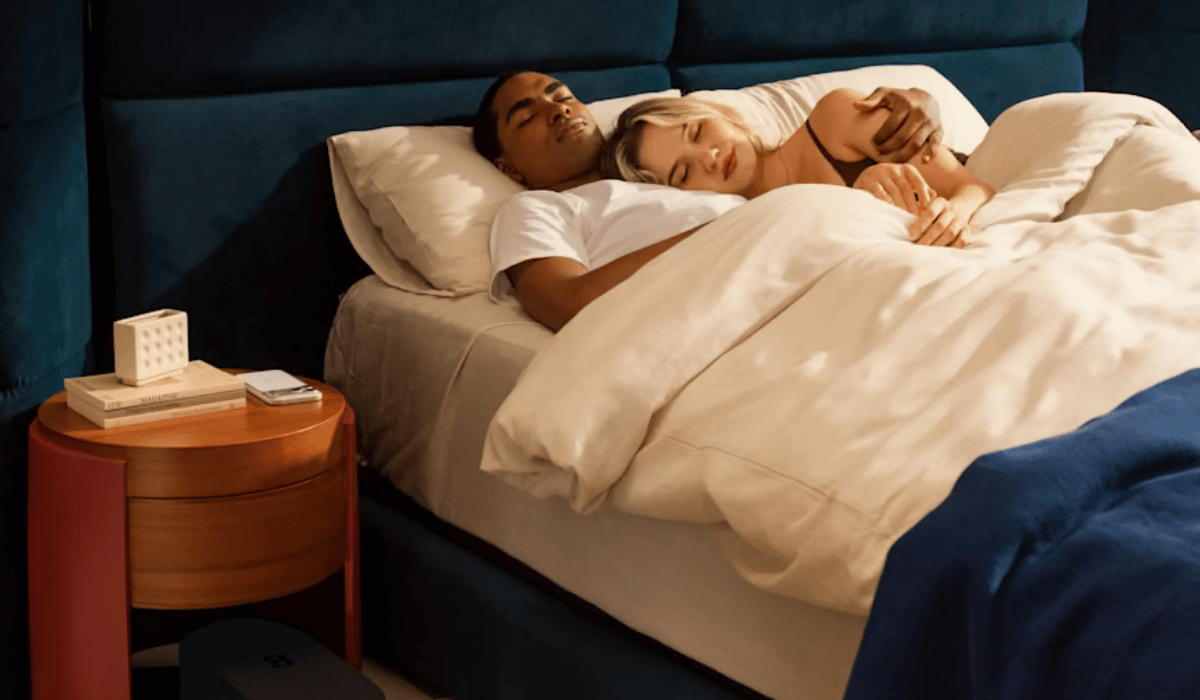
Eight Sleep’s membership is an important part of the long-term cost. You’ll need Autopilot for the first year, but you can choose whether to renew after that. The Standard plan starts at $199 annually and includes the automatic temperature adjustments and sleep tracking I’ve been using. Eight Sleep also offers Enhanced and Elite memberships with additional benefits, including extended protection, at higher annual costs.
Chilipad doesn’t require a subscription, so there’s no comparable annual fee to factor into its price. For the comparison below, I’m including Eight Sleep’s Standard membership rate ($199) in the price of the Pod 6 and showing what you’d spend if you kept it for five years.
Day-One and Five-Year Costs
| Configuration | Chilipad: Day One | Eight Sleep: Day One | Chilipad: Five Years | Eight Sleep: Five Years |
| Twin XL—single zone | $1,599 | $2,198 | $1,599 | $2,994 |
| Queen—dual zone | $2,998 | $3,098 | $2,998 | $3,894 |
| King—dual zone | $3,198 | $3,198 | $3,198 | $3,994 |
The price difference depends on which size you’re buying. For a queen-size dual-zone system, Eight Sleep costs just $100 more up front, including the required first year of Autopilot. Over five years, though, that difference grows to $896 if you keep the membership.
For a king-size dual-zone system, both brands start at the same price once Eight Sleep’s first-year membership is included. Continuing Autopilot brings Eight Sleep’s five-year total to $3,994, compared with $3,198 for Chilipad before additional operating expenses.
What Happens If You Cancel Eight Sleep’s Autopilot?
If you cancel after the first year, your membership stays active until the end of the paid period, and you can still manually control the temperature on either side of the bed. What you’ll lose are the features that make the Pod 6 more than a heating and cooling system, including automatic adjustments, temperature schedules, sleep reports, and smart alarms.
Your five-year hardware and membership cost would then stay at the day-one figure shown in the table. You’d save $796 by avoiding four additional years of membership at $199 per year. That’s a savings compared with keeping Autopilot for all five years, although you’d be using a more basic version of the Pod.
Considering Autopilot is one of the biggest reasons I enjoy the Pod 6, I’d budget for keeping the membership rather than buying it with the intention of canceling after a year.
Trials, Returns, and Warranties
Both Eight Sleep and Chilipad give you 30 nights to try their systems at home, which I appreciate with a purchase this expensive. Eight Sleep offers a full refund on qualifying returns started within that window, along with free return shipping in eligible areas. Chilipad starts its 30-night trial when your order arrives, and you’ll need to contact customer service if you decide to return it. Qualifying sleep-system returns are eligible for a full refund and free return shipping under its policy, although final-sale items are excluded.
Warranty coverage is fairly similar at the base level, with both brands offering two years of limited protection. Chilipad covers qualifying defects in the dock, Hydrolayer, mattress cover, and remote, while Eight Sleep includes a two-year limited warranty with its Standard Autopilot membership. If you want longer coverage, Eight Sleep’s Enhanced and Elite membership tiers advertise five-year protection, although I’d review the terms before paying extra for either plan.
Which Would I Choose?
After sleeping with the Pod 6 since September, I’d choose Eight Sleep again. I use Autopilot regularly, and I like having my bed respond to my sleep without needing to plan every temperature change ahead of time. The sleep tracking is a nice bonus, especially because I don’t have to wear another device to get that information.
Chilipad 2.0 would be my pick for someone who wants scheduled heating and cooling without an annual membership. Its bedside remote and washable cover are practical advantages, and you can keep using its scheduling features without paying extra each year.
For me, the automatic adjustments are worth Eight Sleep’s ongoing cost. But if you’d rather set your own temperatures and leave them on a schedule, Chilipad offers the core heating and cooling functionality without asking you to pay more.