

- Eight Sleep Pod 6 vs. Chilipad 2.0: Which Bed Cooling System Is Worth It? - October 15, 2026
- Eight Sleep Pod 6 Review: My First Impressions After Sleeping on It - September 25, 2026
- Sleep Routines for Hot Sleepers: How to Build a Cooler Night’s Sleep - September 24, 2026
I’ve used electric blankets and heated mattress pads for years because I have a somewhat inconvenient relationship with temperature at night. I want my bedroom cold, but I hate climbing into cold sheets. Then, after I fall asleep, I can get hot enough that I’m kicking blankets off, opening a window, or trying to convince my dog that she does not need to be tucked against me like a 60-pound heating pad.
That is what made the Eight Sleep Pod 6 interesting to me. It is the newest version of Eight Sleep’s temperature-controlled sleep system, with a cover that fits over your existing mattress and circulates water to heat or cool each side of the bed independently. Built-in sensors also track sleep and health data through the night, while its Autopilot can make automatic temperature adjustments based on your settings, sleep patterns, and conditions in the room.
For me, the appeal was pretty simple. I liked the idea of starting the night with a warm bed without being stuck with that same temperature until morning. I was equally curious about the sleep tracking because I deal with chronic migraines, and I’ve wanted a better way to compare how I think I slept with what was actually happening overnight.
After setting it up and sleeping on it, my biggest surprise is probably how little the technology calls attention to itself once I’m in bed. The cover does change the feel of our mattress somewhat, and getting everything installed was a bit more involved than putting on a mattress pad. I can notice the temperature changing if I’m awake and paying attention, but during the night I’m mostly noticing that I’m not waking up and trying to fix the temperature myself.
The Short Answer
My first week with the Pod 6 has been very good, especially for temperature control.
- Best part so far: The Pod adjusts temperature through the night without me having to manage it myself.
- Biggest surprise: I can’t feel the water tubing underneath me, even though that was one of my main concerns going in.
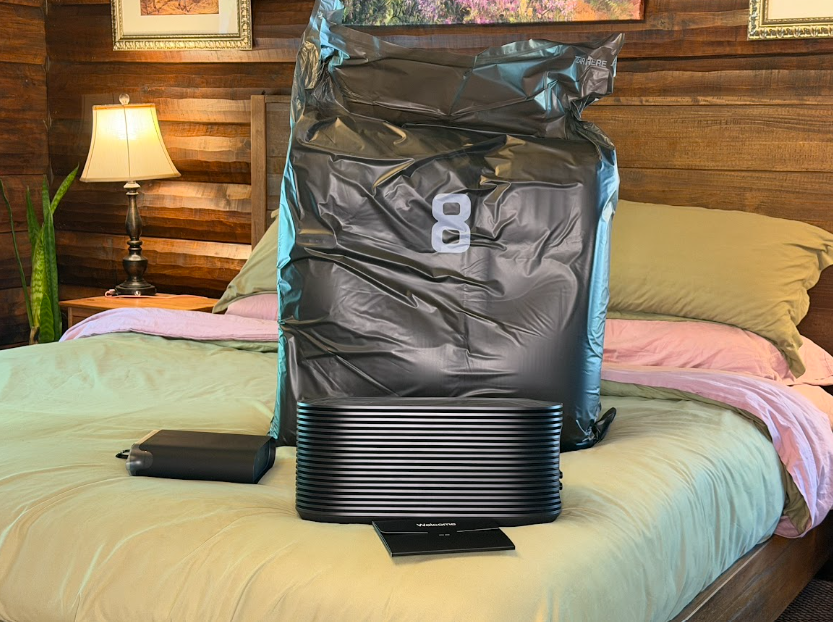
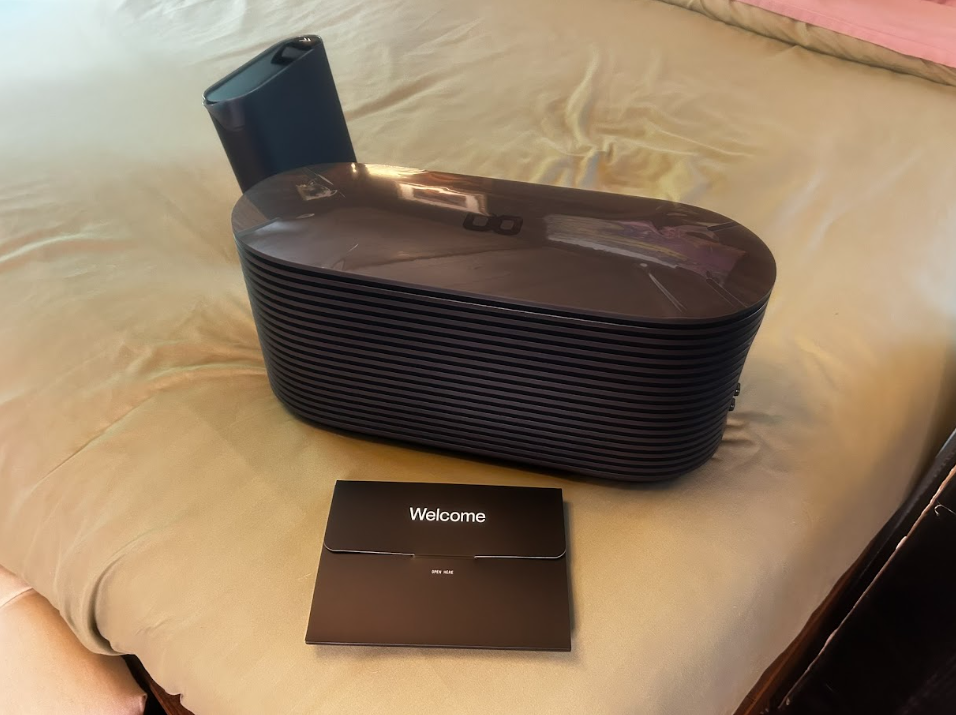
- Biggest change from the Pod 5 for me: The Hub is much smaller. I expected it to take up noticeable space beside the bed, but ours could fit underneath the bed frame, which made the whole setup feel less intrusive than I expected.
- Main downside: Setup took me around three hours because I went slowly, and the cover made our medium-firm mattress feel a little firmer.
- Too early to judge: Whether the Pod 6 is actually improving my sleep over time. I need more time and more data before I make that call.
Setup
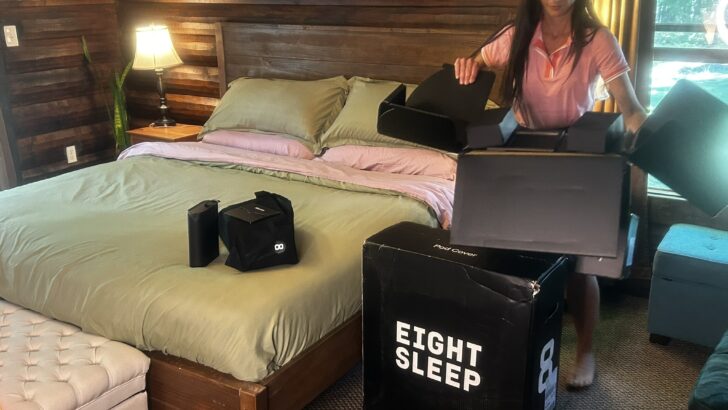
The Pod 6 showed up in two fairly substantial boxes, and they were heavier than I expected. I routinely carry 50-pound bags of animal feed, and I still wouldn’t want to carry these boxes farther than necessary. If your bedroom is upstairs, I’d make sure you’re comfortable hauling a large box that weighs somewhere around 25 pounds.
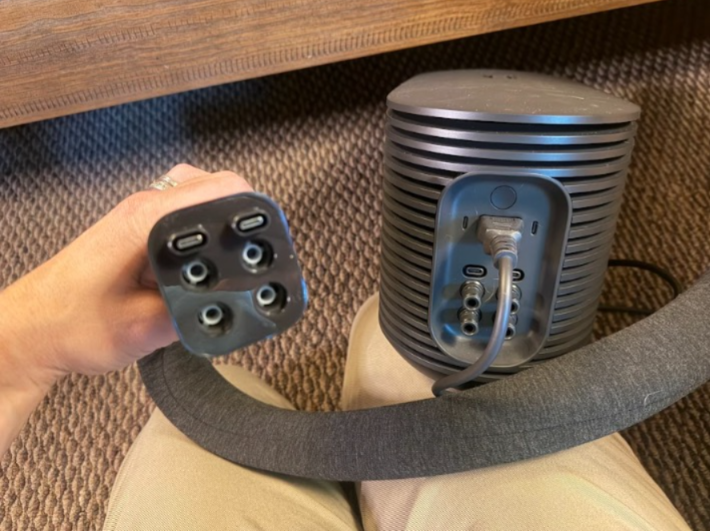
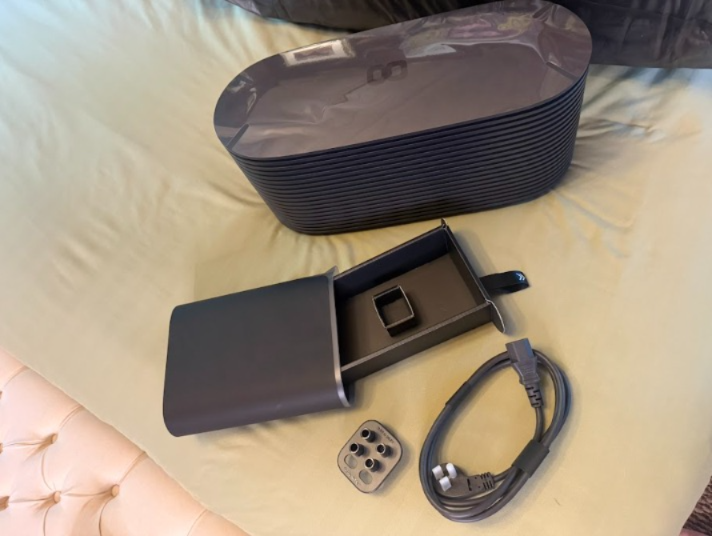
The actual system is less complicated once you get everything out. There’s the cover with its hose attached, the Hub, the power cord, water pitcher, and setup materials. Eight Sleep uses a water-powered cover to heat and cool the bed, while sensors in the system handle sleep and health tracking.
There’s a QR code in the packaging that takes you into the app setup, and the app is very well laid out considering how much is in it. I never felt like I had been dropped into a menu full of features and expected to figure it out. The app walks through installation, explains what the different features are doing, and gives recommendations for where to start.
I initially planned to install everything after work and sleep on it that same night. Once I saw how much I wanted to read and understand along the way, I changed plans and came back to it the following day when I had more time.
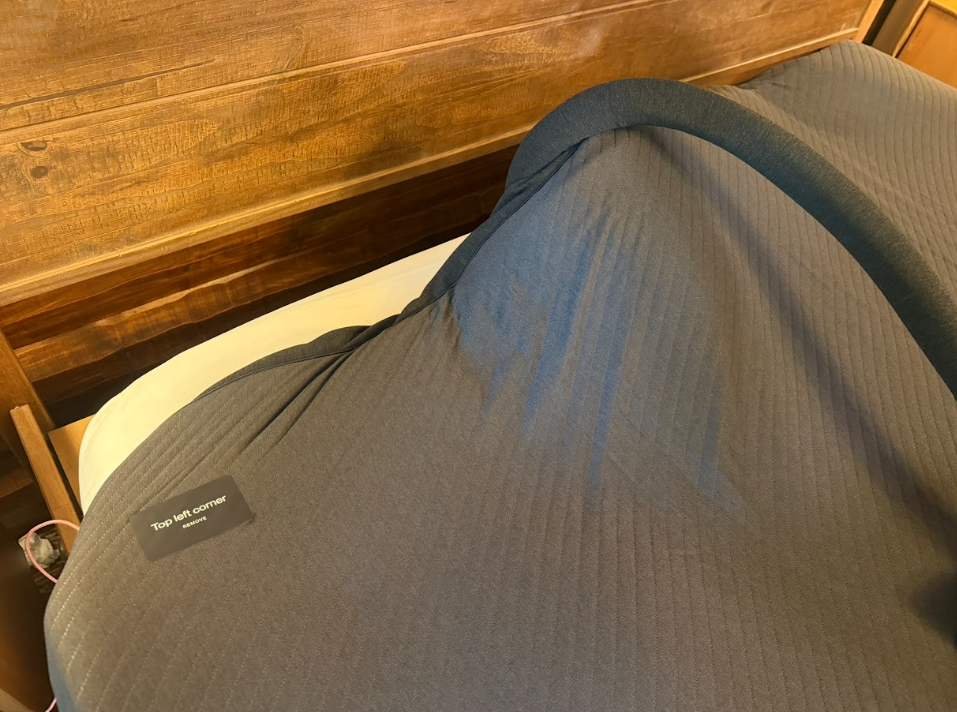
I’m glad I did not try to race through it before bed. None of the individual steps were especially difficult, but between fitting the cover, priming the Hub, and working through the app setup, I would rather do it when I have a few hours than when I am already tired and just want to go to sleep.
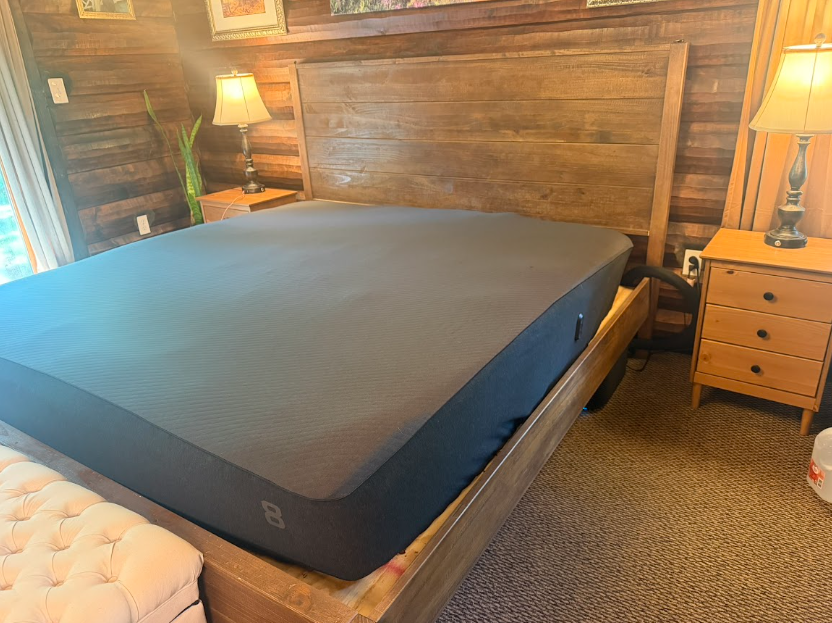
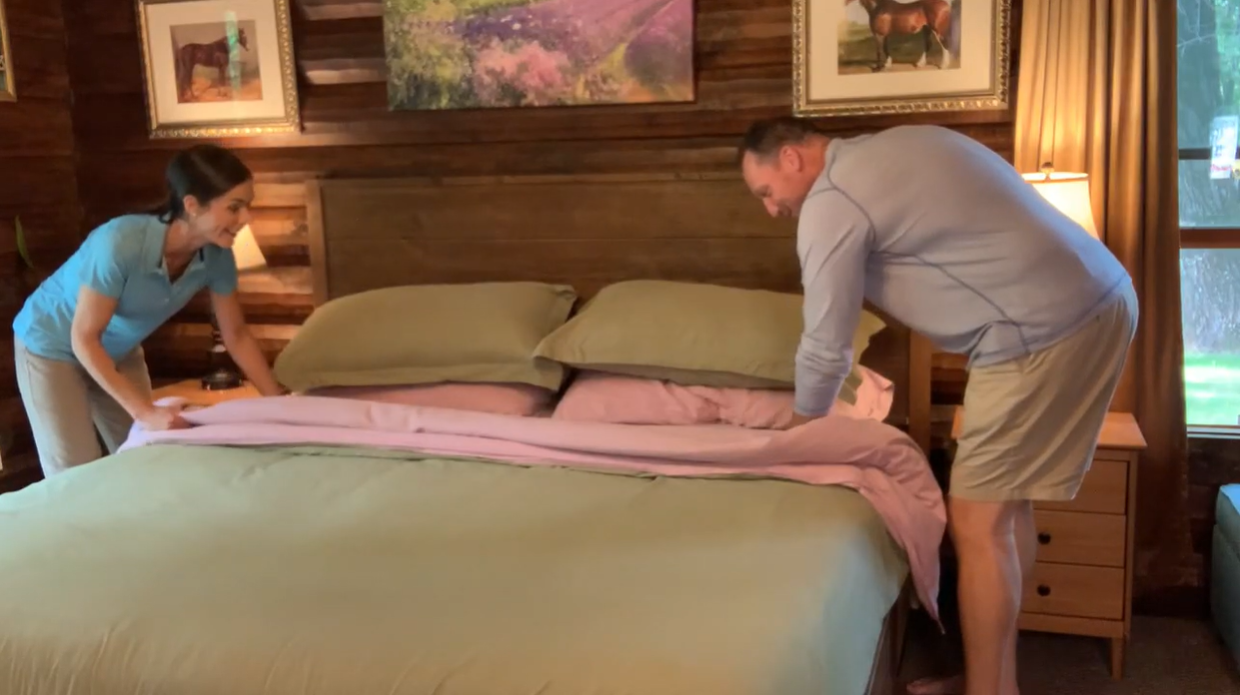
Getting the cover onto the mattress required the most effort. It wraps far enough down the sides that it stays securely in place, but getting it positioned properly by myself took some work. This is one of those jobs where a second person is not strictly necessary, but I wouldn’t turn one down.
The cover is fairly substantial, so it does add some height to the mattress once everything is installed. That was not a problem with our sheets, and our deep-pocket fitted sheets still work well, but it is enough of a change that I would check fitted-sheet depth if your mattress is already especially thick.
Hub and Priming
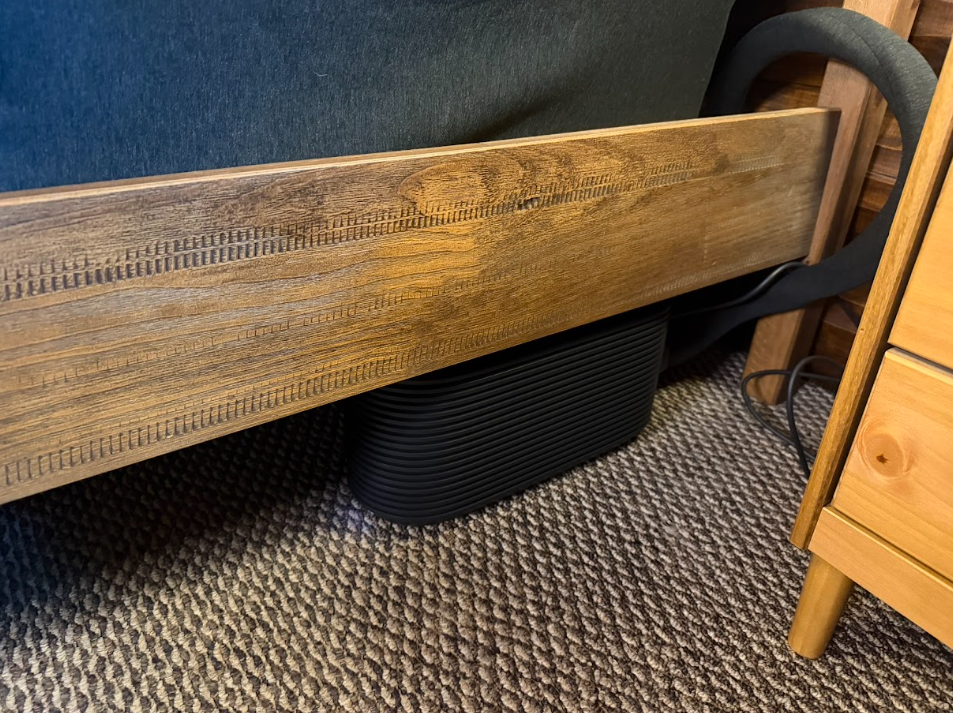
Our Hub fits underneath the bed frame, and the hose gave me enough flexibility that I did not have to rearrange the nightstand. Priming took somewhere around 30 to 45 minutes, and I used just under a gallon of distilled water. I’d have a full gallon on hand before starting rather than discovering halfway through that you need to go buy water.
I did manage to get myself hung up during that process. I used the support chat inside the app, connected with someone quickly, and she figured out what I was doing wrong so I could keep going. My total setup was around three hours, although part of that was because I was deliberately moving slowly and reading the explanations as I went.
I started my side at +2. It added enough warmth to take the chill out of the bed without feeling like I had turned an electric blanket all the way up.
Comfort and Mattress Feel
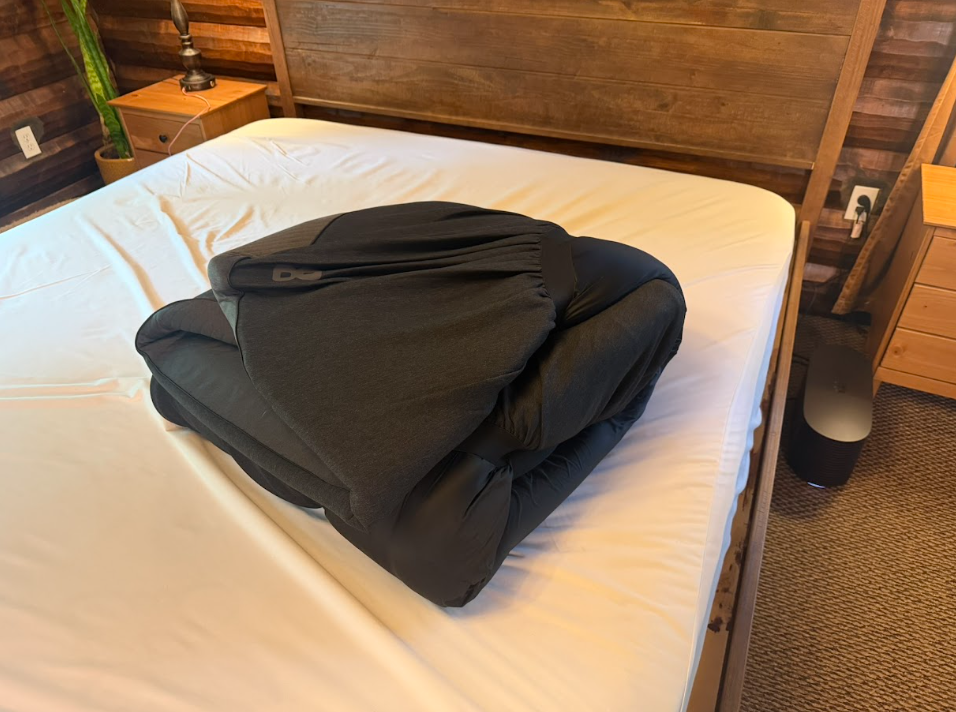
I expected the water system to be the part I noticed, especially because I have used heated mattress pads where I could feel the wires. Instead, what I notice is the cover itself.
Our medium-firm mattress feels slightly firmer with the Pod 6 installed. My husband likes a firm mattress, so he’s perfectly happy about that, while I tend to notice firmness around my hip pretty quickly if a mattress goes too far in that direction.
So far, it has not crossed that line for me. I can tell there is another layer on the mattress, but I cannot feel or trace the tubing underneath me.
Temperature Control
On my first night, I started with the bed warm, which is how I normally like to fall asleep. Later, I could tell the Pod was moving cooler while I was still awake, but once I fell asleep I wasn’t consciously tracking every temperature change.
Normally, if I get too warm, I start throwing covers around or changing something in the room. My dog sleeps under the covers with me too, and she gives off an absurd amount of heat. There is usually a point where cuddling loses the argument against overheating and I make her move. With the bed cooling underneath me, she managed to stay there longer.
I did wake up a couple of times and change my settings during the first night because I was figuring out what I liked. After a couple of nights, I already had a better sense of how warm I wanted the bed when I got in compared with what felt comfortable later.
One of my early reports showed 37 Autopilot temperature adjustments during the night. I would not have known there were that many without looking at the app afterward. Each of these changes happened without waking me up or making me aware that the bed was adjusting underneath me. I just slept through the night without having one of those too-cold or too-sweaty moments that are pretty common for me.
Autopilot uses things like your previous temperature preferences, sleep stage, and conditions in the room when it makes those overnight adjustments. I’m curious to see how much that changes once we move from early fall into a Michigan winter, because the conditions in our bedroom can be dramatically different depending on the season.
Our bedroom does not have central air, so summer temperature control usually means working with open windows, fans, and whatever the weather is doing outside. That gives me another reason to pay attention to how much difference controlling the temperature of the bed itself makes across the year.
We can open the windows when we want cooler air, but living with roosters makes that strategy a little less charming around sunrise.
Rapid Cool
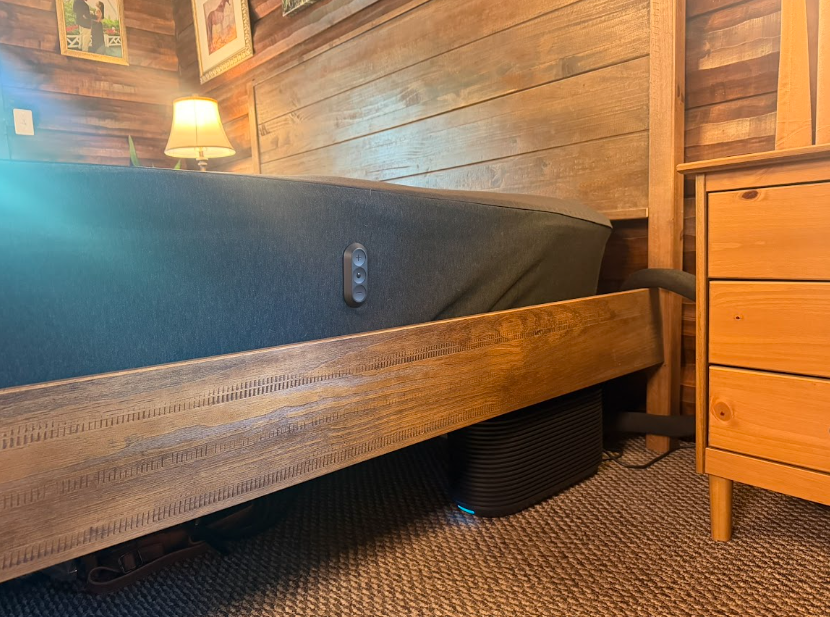
One thing I appreciate about the Pod 6 is that basic temperature changes do not require opening the app. There are controls built into the side of the cover, which is much more convenient if I wake up uncomfortable in the middle of the night.
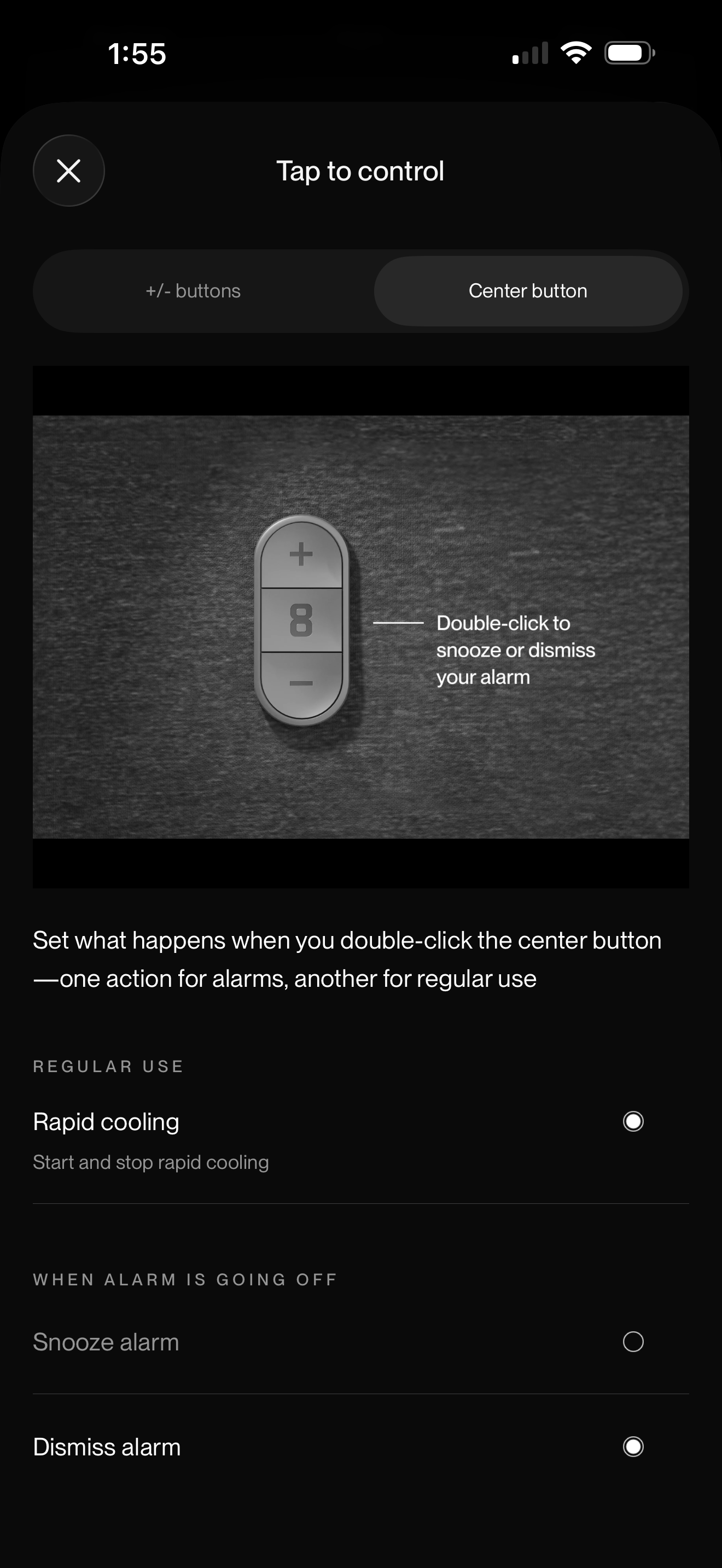
Those controls let you move the temperature warmer or cooler, and the center button has a few different functions. During an alarm, it can handle snooze or dismissal. At other times, it can be used to trigger Rapid Cool.
Rapid Cool is meant for those moments when you want a much faster temperature change than your normal overnight settings provide. It temporarily lowers the temperature setting by 10 levels for up to 30 minutes, then returns to your usual schedule.
That is the feature I can see myself reaching for when I wake up suddenly too warm. Instead of changing the room temperature or reworking the whole bed, I can cool my side quickly and let the temporary setting expire on its own.
Dual Zones
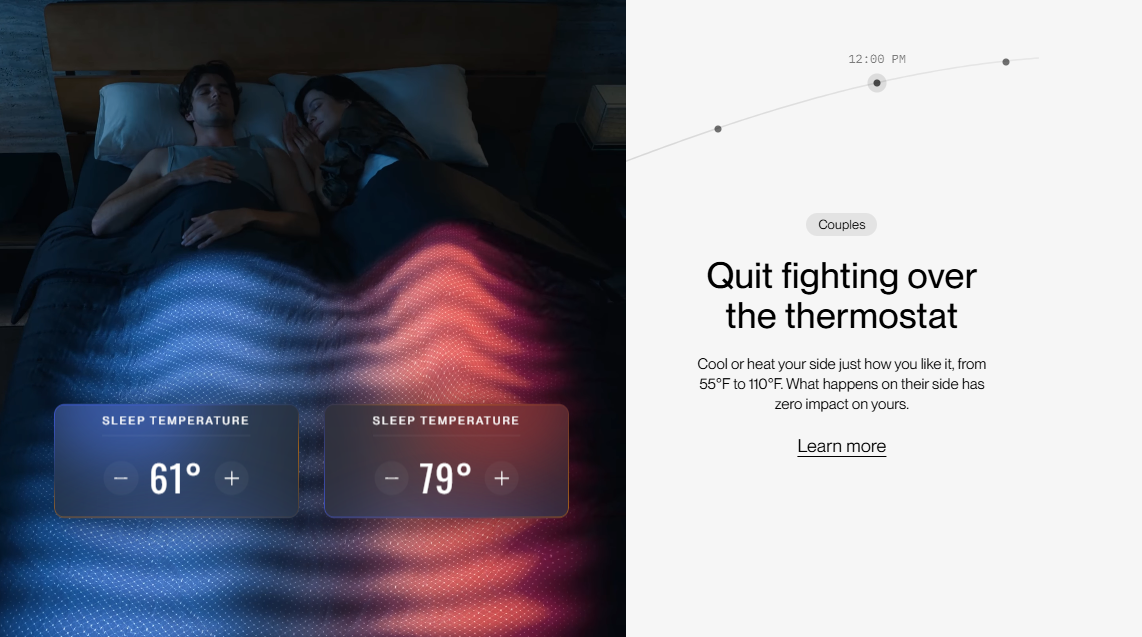
My husband and I don’t want the same temperature. He has no interest in climbing into the warm bed I love, so during setup I assigned each of us a side.
Each sleeper can have separate temperature settings, schedules, and alarms, which lets me keep my side warm without cooking him in the process. Eight Sleep calls this Dual-Zone Control, with independent heating and cooling for each side.
The separate schedules are helpful too because the difference is not only what temperature each person likes. One side can begin warming or cooling at a different time without changing what is happening on the other side of the bed.
Smart Alarm
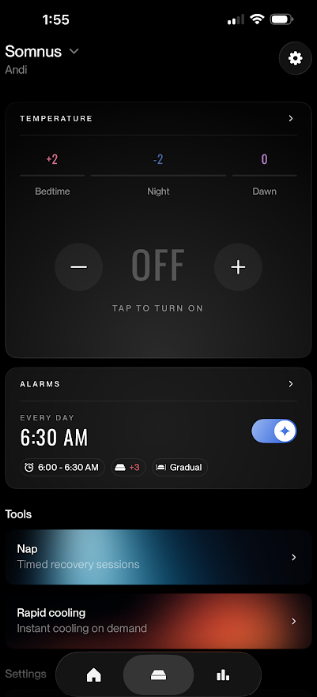
The Smart Alarm is one of the features I wanted to try because it can work with your sleep rather than simply going off at an exact second. You choose the time you need to be awake by, and it can wake you during a lighter part of your sleep cycle within the 30 minutes leading up to that time.
The alarm can use vibration and temperature, and I found it much gentler than having my phone suddenly yelling at me. The middle button on the cover can also snooze or dismiss the alarm while it is going off.
There’s also a timed recovery feature for naps or short rest periods. You choose how long you want to rest, set the bed temperature, and decide whether you want an alarm at the end.
Sleep Tracking and Health Data
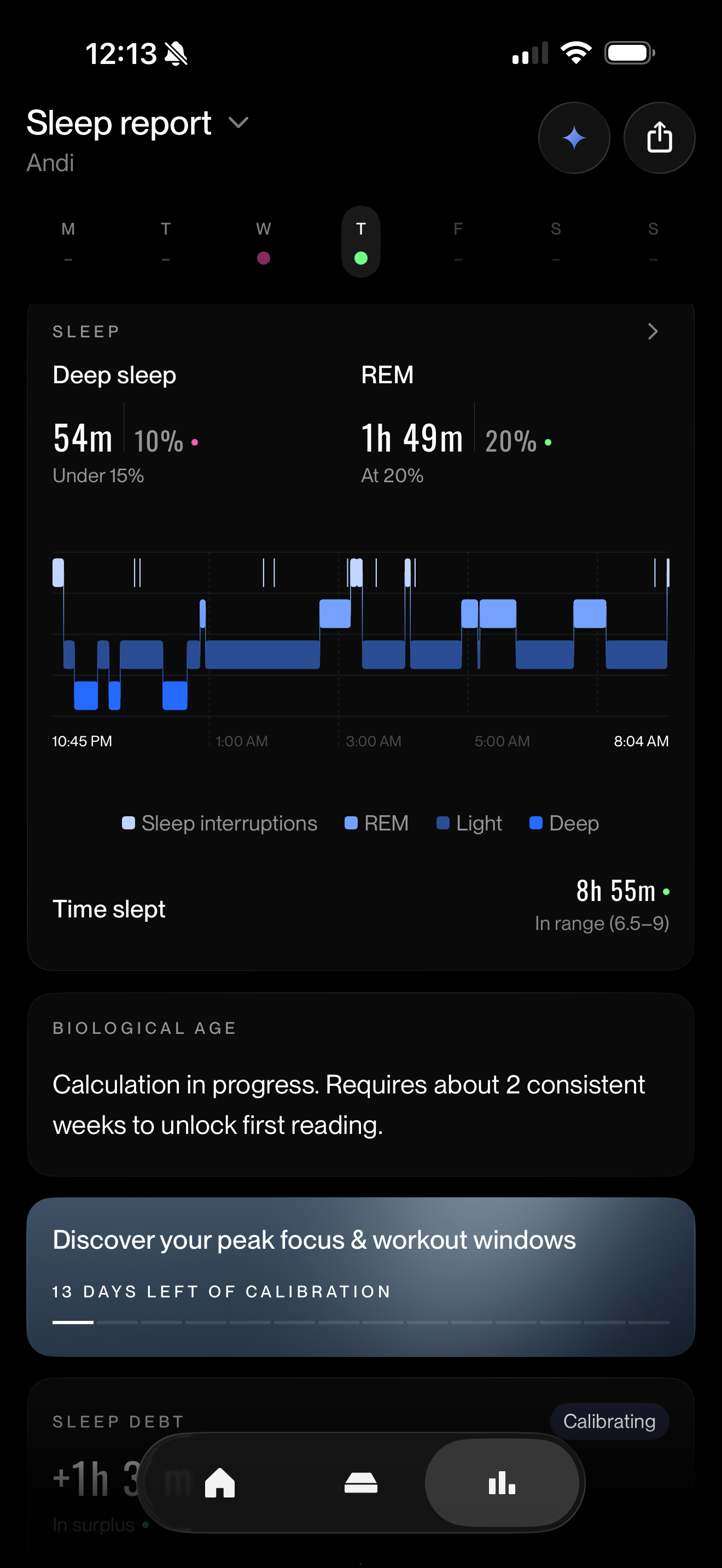
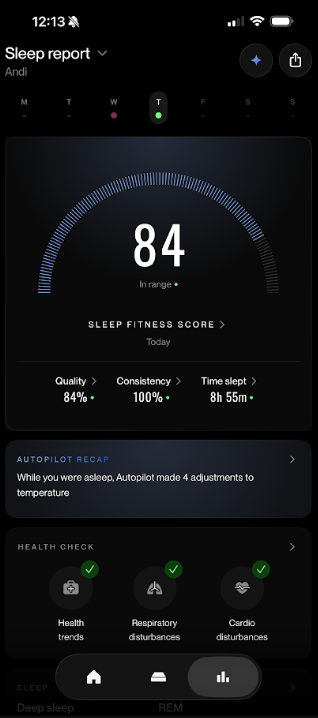
The sleep data is one of the parts I’ve been most interested in checking each morning. The main screen gives me a Sleep Fitness Score, then breaks that down into sleep quality, consistency, and how long I slept.
There’s also a timeline showing when the app thinks I was in light, deep, and REM sleep, along with interruptions during the night and how long it took me to fall asleep.
I like being able to see the night laid out visually instead of only getting one score at the top. If I remember waking up around a certain time, I can look at the timeline and see where that interruption showed up and what was happening around it.
I’m especially interested in the biometric data over time. The app shows resting heart rate, breathing rate, snoring, and heart rate variability, or HRV, which measures the variation in time between individual heartbeats. Health Check uses those overnight measurements to build a personal baseline and look for changes over time.
Eight Sleep says Health Check takes roughly two to four weeks to build that baseline, so I want to see what my own ranges look like before deciding whether a particular HRV number or amount of deep sleep is unusual for me.
Because I deal with migraines, I’m especially interested in whether certain sleep or biometric patterns seem to line up with how I feel the next day.
My Early Take on the Eight Sleep Pod 6
The Pod 6 is going to be most relevant to people who already know temperature is interfering with their sleep. If you rarely wake up too hot or too cold, that part of it may be less applicable to you. If temperature changes are already part of your nightly routine, it is much easier to see where the Pod could fit. Even more so for those of us in perimenopause or menopause.
I also do not think it needs to produce a dramatic before-and-after result for me to be happy with it. Sleeping more comfortably and having better information about what happened overnight would already be a meaningful improvement.